Platform · Surveys
Take the job from quote to site survey without changing systems.
The surveyor arrives with the quoted sizes and specification already on the phone, verifies rather than re-enters, photographs the opening, records what differs, and sends it back to the office signed — even with no signal on site.
Replaces: Paper sheets, photographs on a phone, and re-typing everything on Monday morning.
The problem
The survey is where the job usually breaks.
Measurements taken on paper are re-typed days later, photographs stay on a phone, and a size that changed on site reaches the workshop as a verbal amendment.
- 01
Survey sheets re-entered on Monday morning, from memory as much as notes.
- 02
No record of what the quote said, so the surveyor starts again.
- 03
Photographs and notes separated from the opening they describe.
- 04
Variations settled in conversation instead of on the quote.
- SystemPaper sheet
- SystemCamera roll
- SystemEmail
- SystemRe-typed order
- SystemPhone call
Five places to look, none of which agree with each other — and no single record of the job.
The Fenora answer
The surveyor verifies what was sold.
The quoted sizes and specification are already on the phone, opening by opening. The surveyor confirms or corrects them, evidences the opening, and signs the survey off — with no signal needed.
- 01
Quoted versus surveyed
A variation is flagged the moment a reading disagrees with the quote.
- 02
Evidence per opening
Photographs, annotations, sketches and voice notes filed against the unit.
- 03
Works offline
Captured on site and synced the moment there is signal again.
- 04
Site conditions recorded
Access, fire escape, damp course and fitting location captured properly.
- 05
Approved onto the quote
The office reviews variations and applies them without a second entry.
- 06
Signed off on site
The customer signs on the phone and the report is on the record.
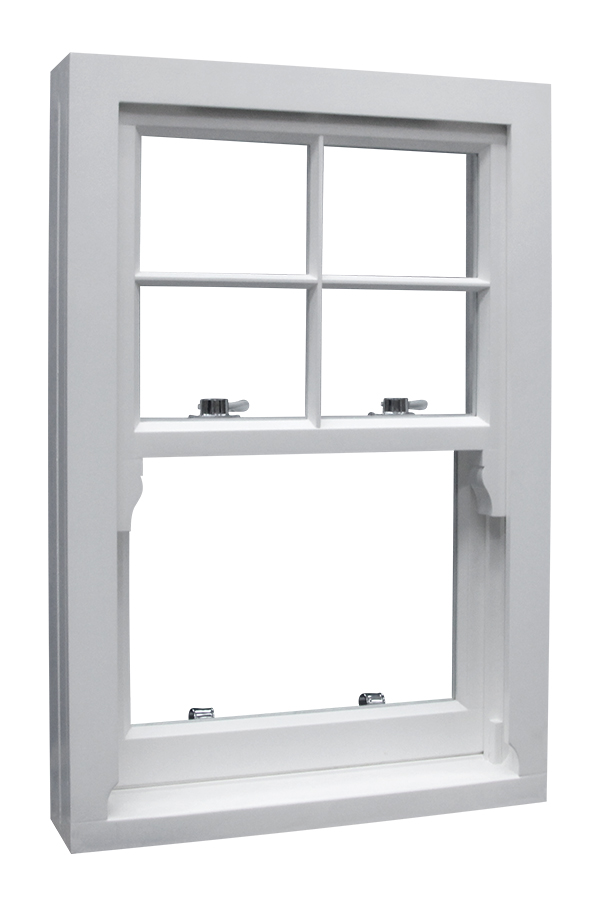
Verified on site
Frame depth, cill and opening — checked against the quote.
The surveyor works from the quoted unit rather than a blank sheet, so a reading that disagrees is a flagged variation instead of a remake.
Inside the product
This is what it actually looks like.
Fenora's own interface, not an illustration of it — the same screens your office and your site teams work in every day.
The workflow
Quote to site and back again.
One record travels out to the surveyor and returns with the truth attached.
- 01QuoteSizes & spec
- 02Survey bookedAssigned
- 03On siteMeasured
- 04EvidencePhotos & notes
- 05VariationsApproved
- 06JobReleased
Find the work → Manage the lead → Survey it → Configure it → Quote it → Win it → Produce it → Organise it → Deliver it.
Benefits
What changes in the business.
Not features. The four things that are different once this is in place.
- 01
Quoted versus surveyed
Variations are flagged the moment a reading disagrees with the quote.
- 02
Evidence on the record
Photographs, annotations, sketches and voice notes filed per opening.
- 03
Works offline
Captured on site, synced when there is signal again.
- 04
Straight into the quote
Approved variations update sizes without a second data entry.
Connected
It does not work alone.
One system. One source of truth.
Everything stays organised.
Billing & business administration
Subscription, seats, add-ons and invoices handled in one place, alongside company details, VAT and currency settings.
Product & pricing library
Your materials, glass, hardware, colours and fitting rates held once and used by every quote in the business.
Media & documents
Drawings, photographs, certificates and reference images filed against the job they belong to.
Ready to run your window business differently?
Manage leads, surveys, window configuration, quoting, production, teams and deliveries — all from one place.